
Table reservations and waitlist: know who is coming and who is waiting.
Keep the day's bookings and the waitlist in one place. Reserved tables show on your floor. Pili, your AI assistant, flags what needs you each day.
Free plan. No credit card needed.
Today
What is a table reservation system?
It is the list of today’s bookings, and of the guests waiting for a table, kept right next to your floor.
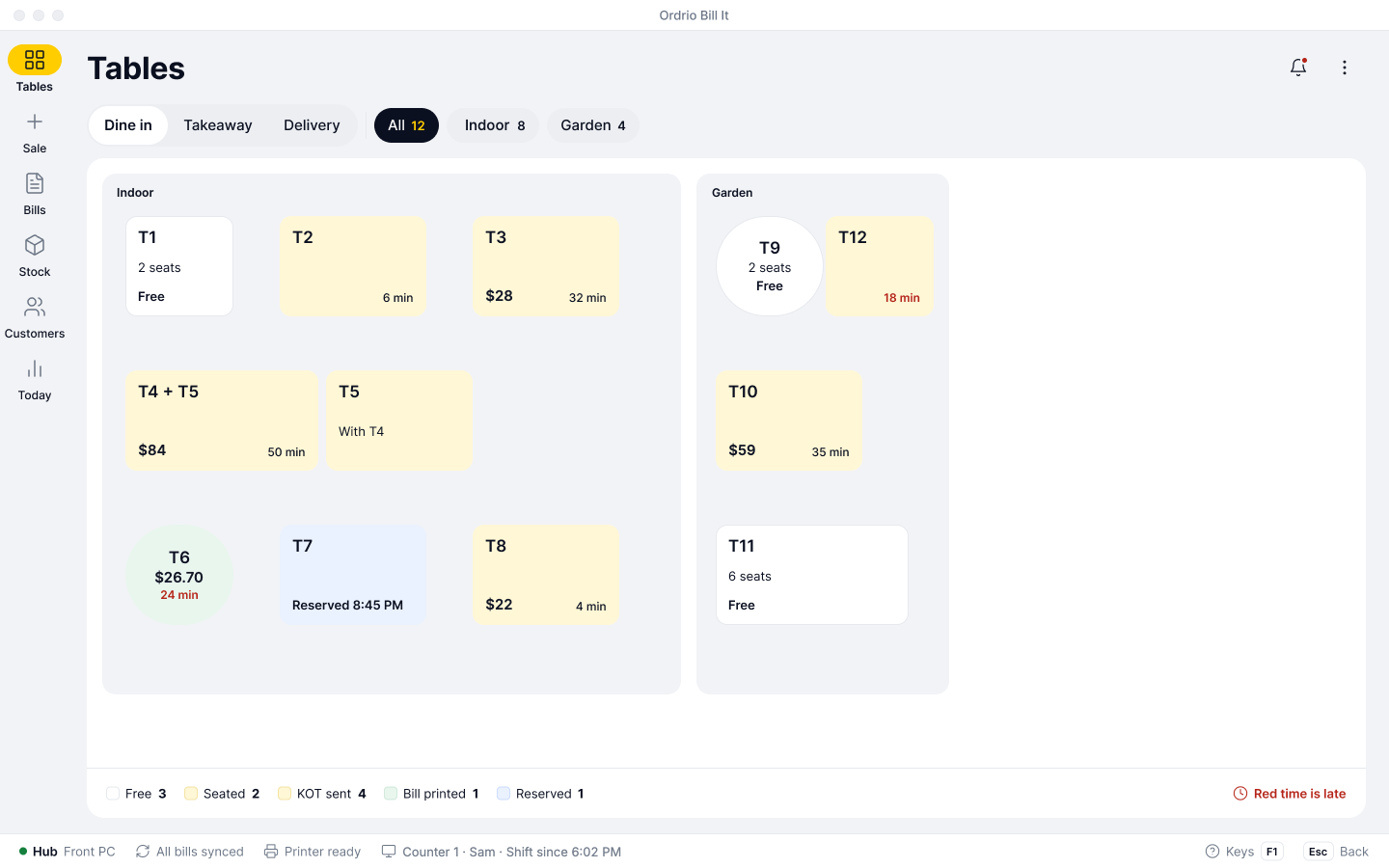
In Ordrio it lives in Bill It, the Bills & Books counter app. A held table shows Reserved with the time, so nobody sits there by mistake.
Your host sees who is coming, which table is held and who is waiting, without a paper register.
- Seat them at the held table
- No free table? Use the waitlist
How table reservations work
From a booking to a seated table in four short moves, all in Bill It.
Add the booking
Name, party size and time join the day’s list. Every booking for today sits in one place.
New booking
Hold the table
The table shows as Reserved on your floor, with the time, so nobody sits there by mistake.
Floor Main Hall
Otieno family · 4
Seat the party
When they arrive, seat them at the held table and start their order. Kitchen tickets and the bill follow from the same table.
Table 2
Arrived 7:52 PM
Use the waitlist
No free table? Add the walk-in to the waitlist in Orders and seat them when a table is free.
Waitlist
Added 8:10 PM
Booked 8:45 PM
What you can set and see
Everything a host needs at the door, on the same screen as your tables.
| What you keep | What it does |
|---|---|
| Guest name | Who the table is for, so the host can greet them. |
| Party size | How many guests are coming. |
| Time | When they arrive. The time shows on the held table. |
| Table | Which table to hold for them. |
| Reserved status | A held table shows Reserved with the time on your floor, so nobody sits there by mistake. |
| Day’s list | All of today’s bookings in one place. |
| Waitlist | Walk-ins waiting for a table. It sits in Orders, next to the day’s bookings. |
| Floor plan | Draw your floor and see every table, its time and its bill at a glance. |
| Daily check | Pili, your AI assistant, flags what needs you each day. |
Who uses table reservations
Any place where guests sit down to eat and tables run out on busy nights.
Reservations with the rest of Ordrio
Bookings sit on the same floor as your tables, kitchen tickets and bills.
Table reservation questions, answered
Your team adds bookings in Bill It. Guest self-booking is not part of what we are announcing now.
A name, the party size and the time. The booking joins the day’s list.
On the tables floor, a reserved table shows Reserved with the time.
In Orders, next to the day’s bookings.
Add the party to the waitlist and seat them when a table is free.
Yes. The day’s bookings and the waitlist are kept in one place.
Yes. Reservations is set up with tables and KOT in Bills & Books. See kitchen order tickets.
Pili, your AI assistant, flags what needs you each day.
It is an add-on on Bills & Books. Plans and price are on the add-ons page. Bills & Books and your online store are on every plan, including Free.